Find Riftbound players nearby: the Radar, step by step
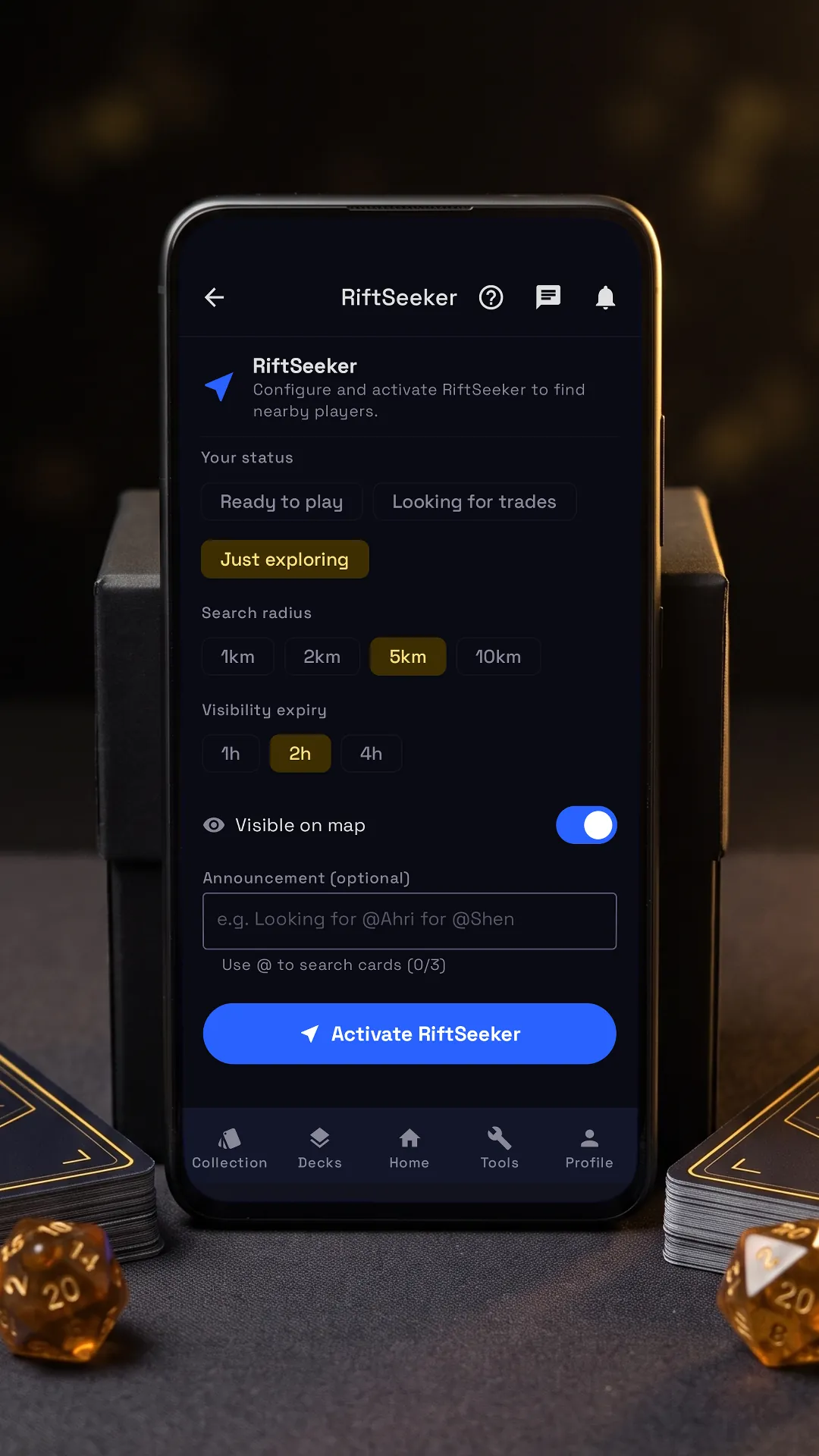

Tap the lit spot on the phone to go on.
The Radar finds the Riftbound players around you, to play, to trade or just to see who is there, and shows them only an approximate distance, never your position. Beside it is the app’s own tutorial, on its real screens: tap the lit spot on the phone, or use Next.
Step by step
-
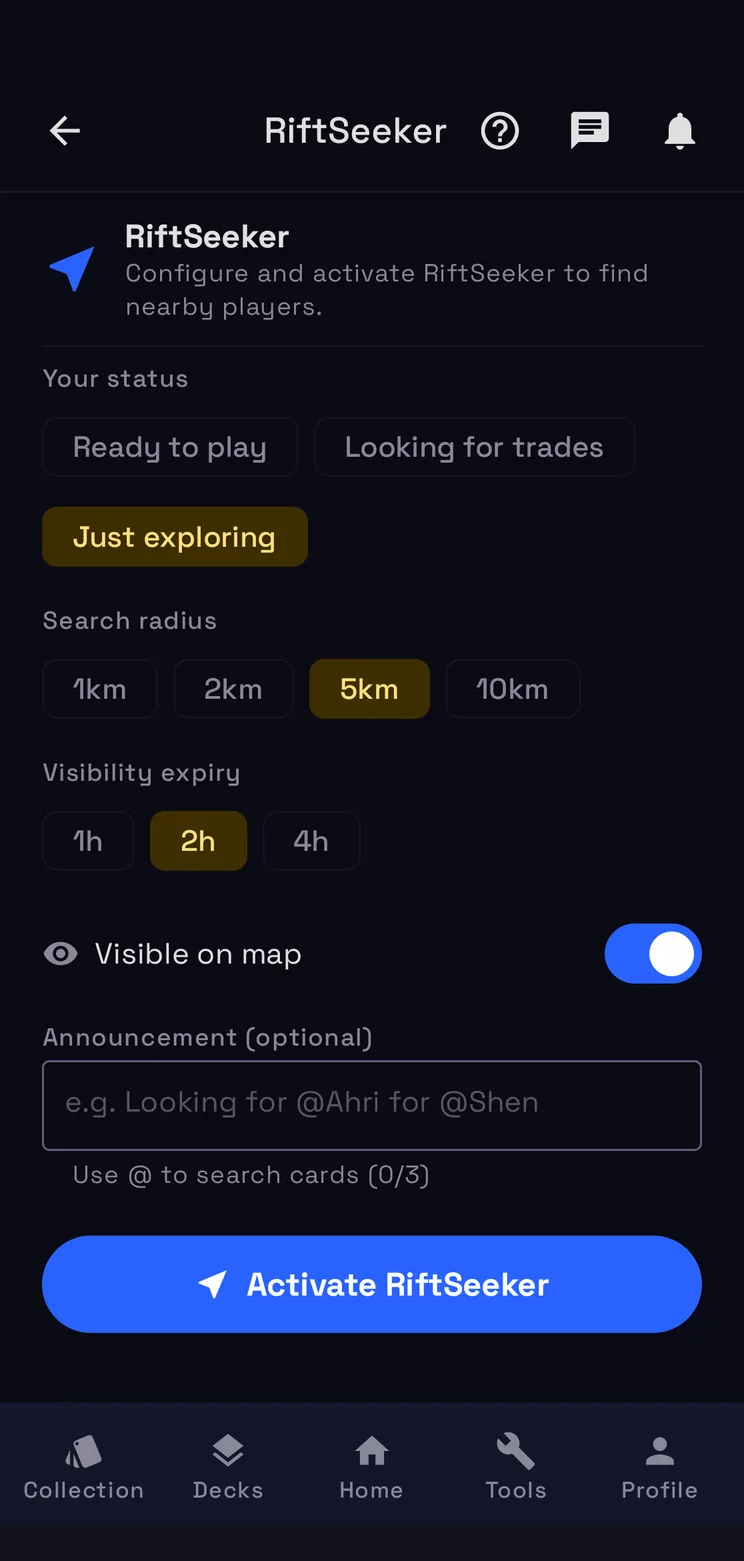
On and off
Switch it on and nearby players see you for 1, 2 or 4 hours; switch it off whenever you like.
-
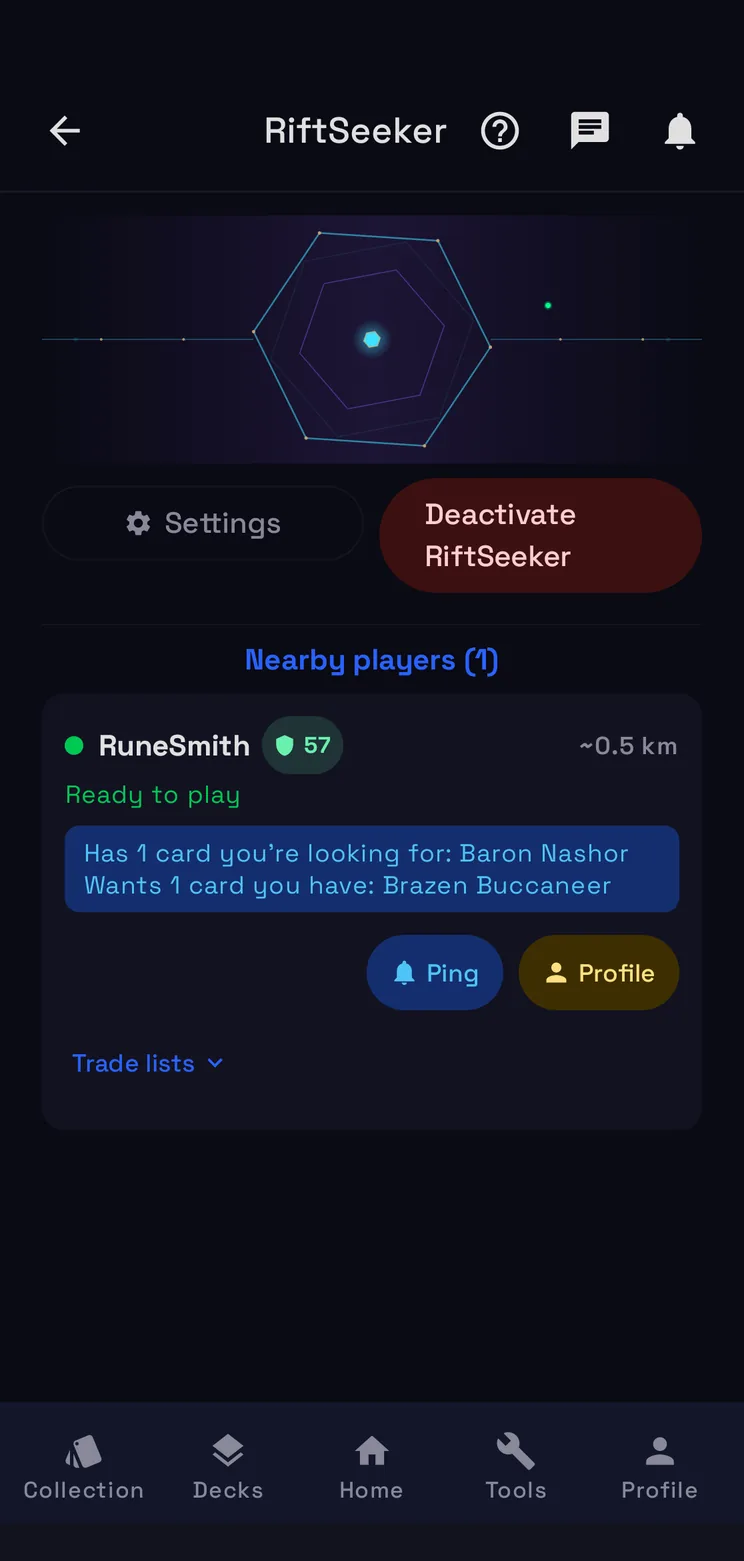
Who's nearby
The players around you, first those who want or offer cards from your Wishlist and For Trade.
-
Get in touch
Ping says hi; from their Profile you add them as a friend and then propose a trade.
How the Radar works
Before you switch it on
Pick your status, Ready to play, Looking for trades or Just exploring, then the search radius, from 1 to 10 km, and how long you stay visible: 1, 2 or 4 hours. The announcement is optional: say what you are after and tag up to three cards with @. Then Activate RiftSeeker.
Your position stays yours
The Radar uses your location while it is on, in the background too, to show you to nearby players and match the cards you want. The phone sends only an area of about half a kilometre, never your exact position, and other players see only an approximate distance. You stay visible until the time you picked runs out, and you can switch the Radar off whenever you like.
Who is nearby
Nearby players lists the players around you with their status and their distance. Those who want or offer cards from your Wishlist and For Trade lists come first, with the cards named on their card. For them to see your cards, share a For Trade list, publicly or with your friends.
Get in touch
Ping says hi, once a day per player. From their Profile you add them as a friend and then propose a trade, and Trade lists shows the lists they share. When you meet, meet in a public place and check the cards before handing anything over.
Questions
- Can other players see where I am?
- No. The phone sends only an area of about half a kilometre, never your exact position, and other players see only an approximate distance.
- How long do I stay visible?
- 1, 2 or 4 hours, as you choose before switching the Radar on. You can switch it off sooner whenever you like.
- Does it work with the app closed?
- Yes. The Radar keeps working in the background until you switch it off or it expires; on iPhone it needs the Always location permission.
- Is the Radar free?
- Yes. It is part of RiftSeeker, which is free on Google Play and in beta on iPhone. Premium is optional: it removes the ads and lets you search wider than 1 km.