The Riftbound collection tracker, step by step
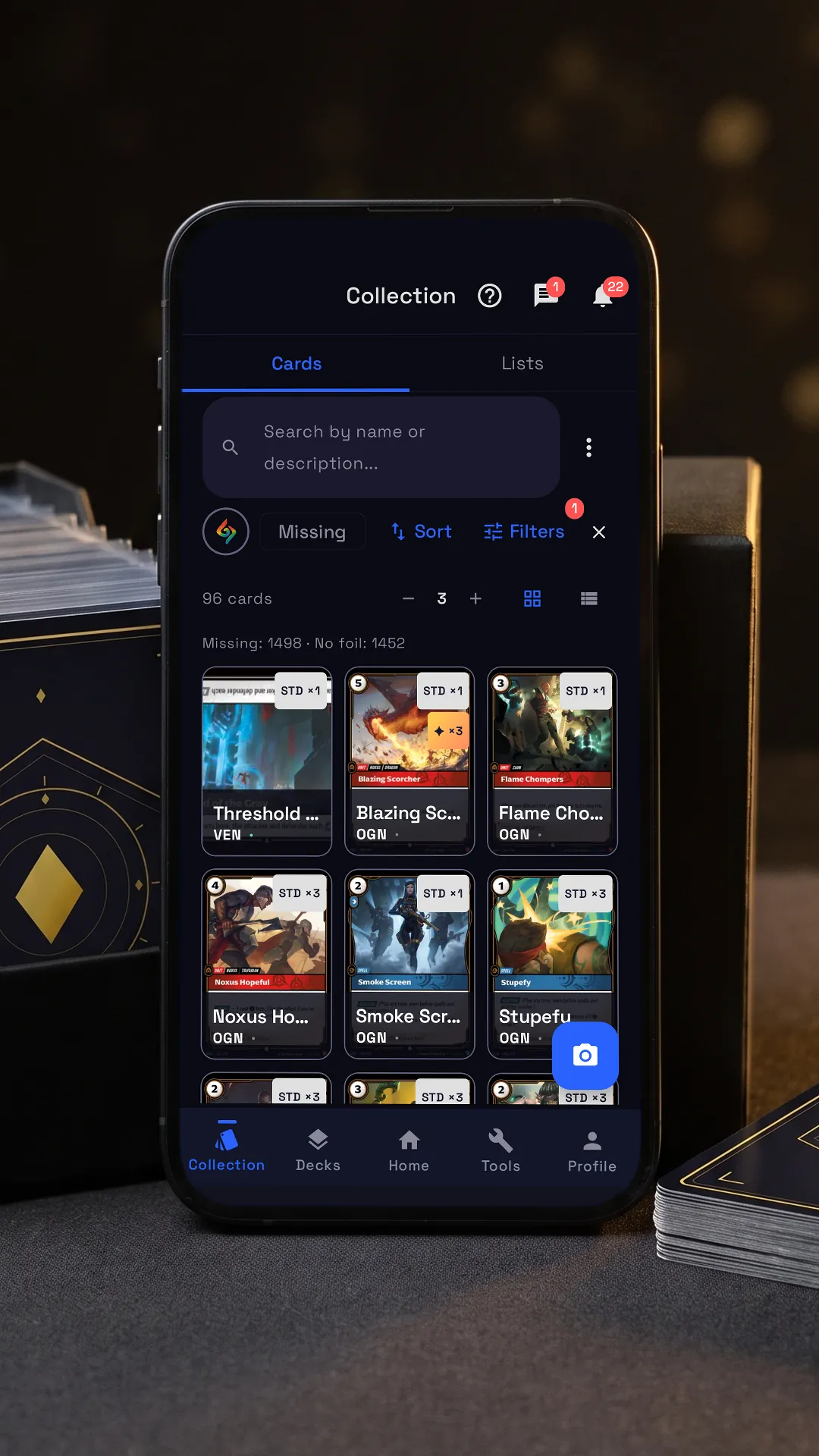

Tap the lit spot on the phone to go on.
RiftSeeker’s Collection has every Riftbound card, printing by printing, with the copies you own, the ones you miss and market prices. Beside it is the app’s own tutorial, on its real screens: tap the lit spot on the phone, or use Next.
Step by step
-
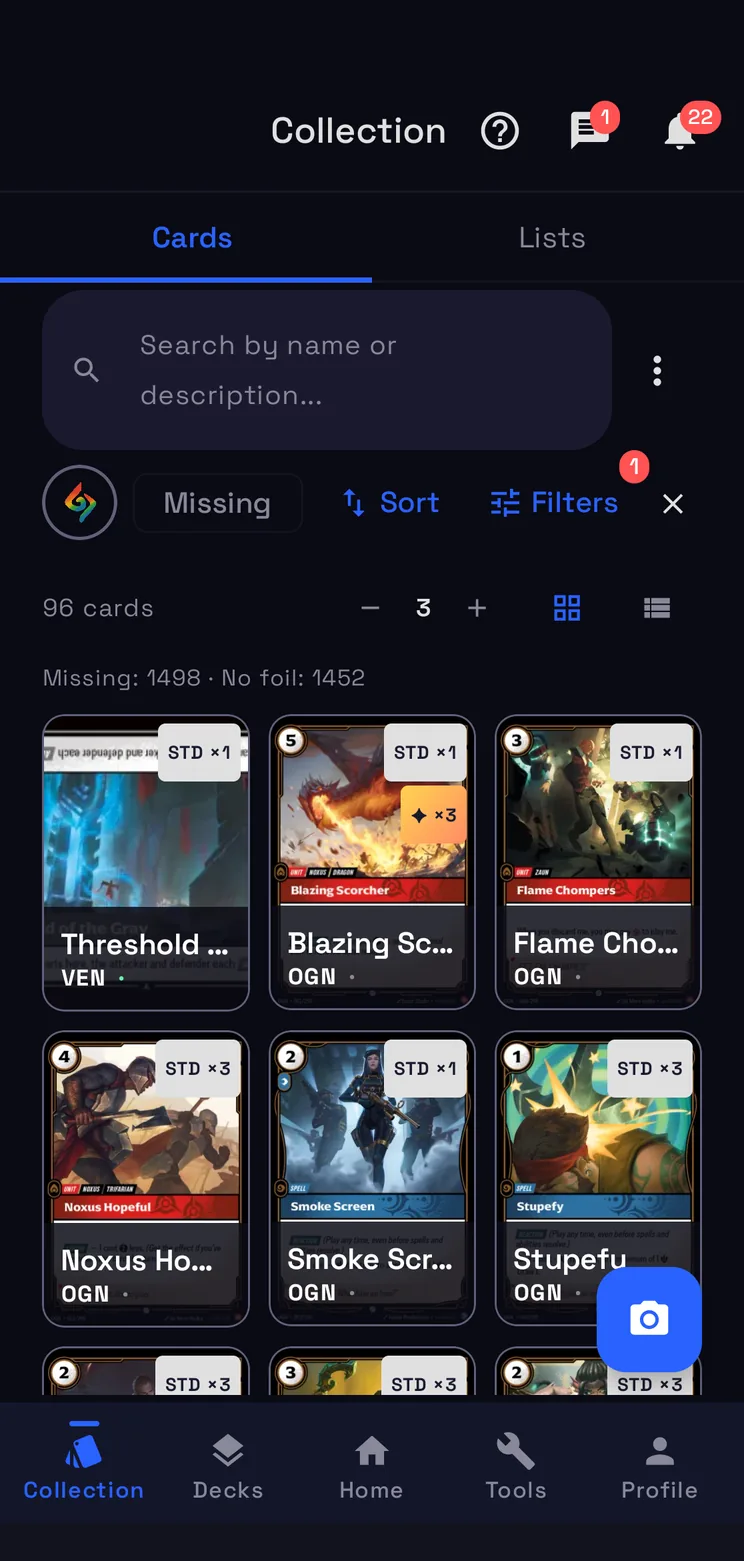
Search and filters
Type a name, or open Filters for domain, set, rarity and more.
-
The scanner
Frame a card with the camera to add it to your collection.
-
Lists
Wishlist and For Trade are the lists the Radar reads; you can also make your own.
-
Your cards
Tap a card for prices and printings; press and hold it to put it in a list.
-
Import and export
Import or export the collection as CSV, and choose how missing cards look.
How the Collection works
Search and filters
Type a name or a word of the card’s text, or open Filters: domain, set, rarity, keywords and Ownership, to see all the cards, the ones you own, the ones you miss or those without their foil. Sort changes the order, − and + the cards per row, and two icons switch between grid and list. Under the count you see how many printings you miss and how many miss their foil.
Your cards
Every printing is a card of its own, Alt Art, Showcase, Signed and promos included, with the copies you own. Tap a card for its prices and printings; press and hold it to put it in a list. The camera button opens the scanner: frame a card and it goes into your collection.
Lists
Lists holds your Wishlist and For Trade, the two lists the Radar reads to match you with nearby players, and Market, for the cards you sell. You can make lists of your own too. Share with a link, in the ⋮ menu of the Cards tab or of a list, sends the collection or the list as it is now: whoever opens it sees it read-only, even without an account.
Import and export
Import CSV, in the ⋮ menu, reads the exports of other collection apps and any other CSV: when it does not know the file, it asks which column is the quantity and which the card name. Add adds the file’s copies to yours, Replace gives each card the file’s quantity, and Undo import takes it all back. The same menu has Export CSV and chooses how missing cards look.
Questions
- Is the Collection free?
- Yes. It is part of RiftSeeker, which is free on Google Play and in beta on iPhone. Premium is optional: it removes the ads and the limits on your own lists and on the price history.
- Can I bring my collection from another app?
- Yes. Import CSV, in the ⋮ menu, reads the exports of other collection apps and any other CSV file. You choose Add or Replace, and Undo import takes it back if something went wrong.
- Does it tell printings and foils apart?
- Yes. Every printing has its own count, Alt Art, Showcase, Signed and promos included, and the Ownership filter shows the cards you miss or those without their foil.
- Does it show what my cards are worth?
- Yes. Tap a card to see what that printing is worth on the market, in the currency you choose in Settings, and its other printings.