The Riftbound trade tracker: the Trade Log, step by step
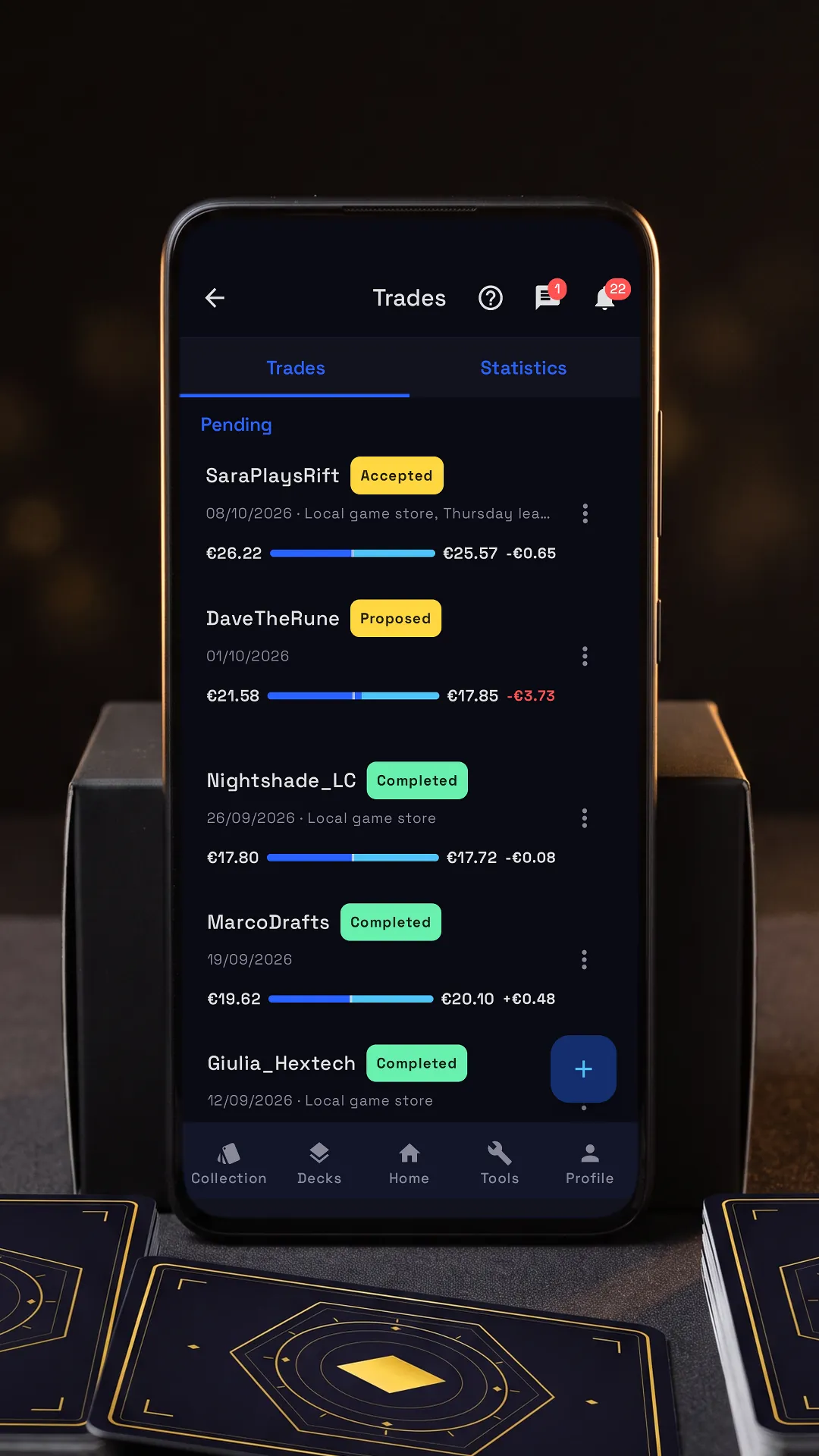

Tap the lit spot on the phone to go on.
RiftSeeker’s Trade Log keeps every Riftbound trade you make or propose, weighs the two sides at market prices and adds up your balance. Beside it is the app’s own tutorial, on its real screens: tap the lit spot on the phone, or use Next.
Step by step
-
New trade
Pick a friend to send a proposal, or type a name to log a trade you already made.
-
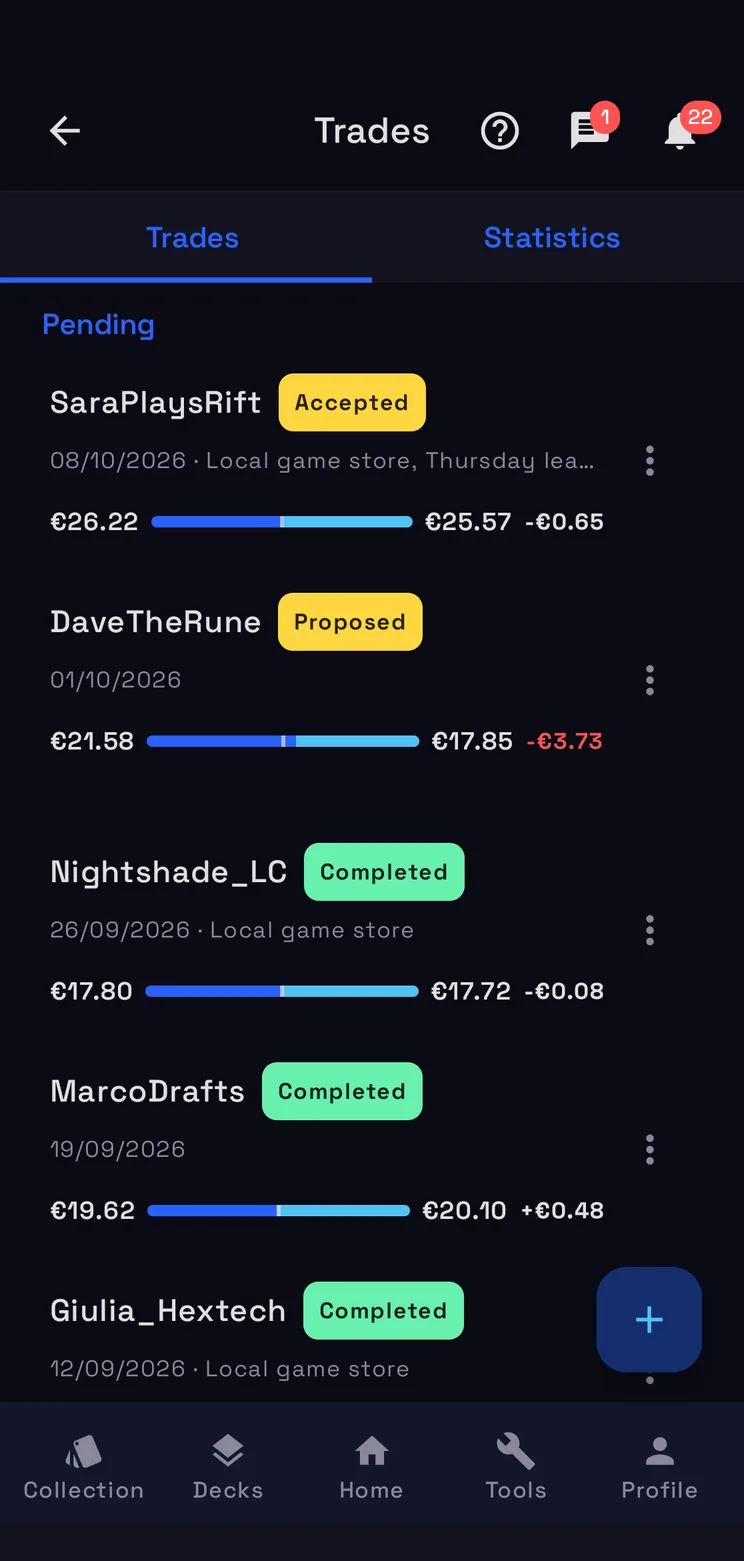
Trades and statistics
Trades lists them all, pending ones first; Statistics adds up what you gave and received.
-
Where it stands
Proposed, accepted, completed: once it's done you can rate how the trade went.
-
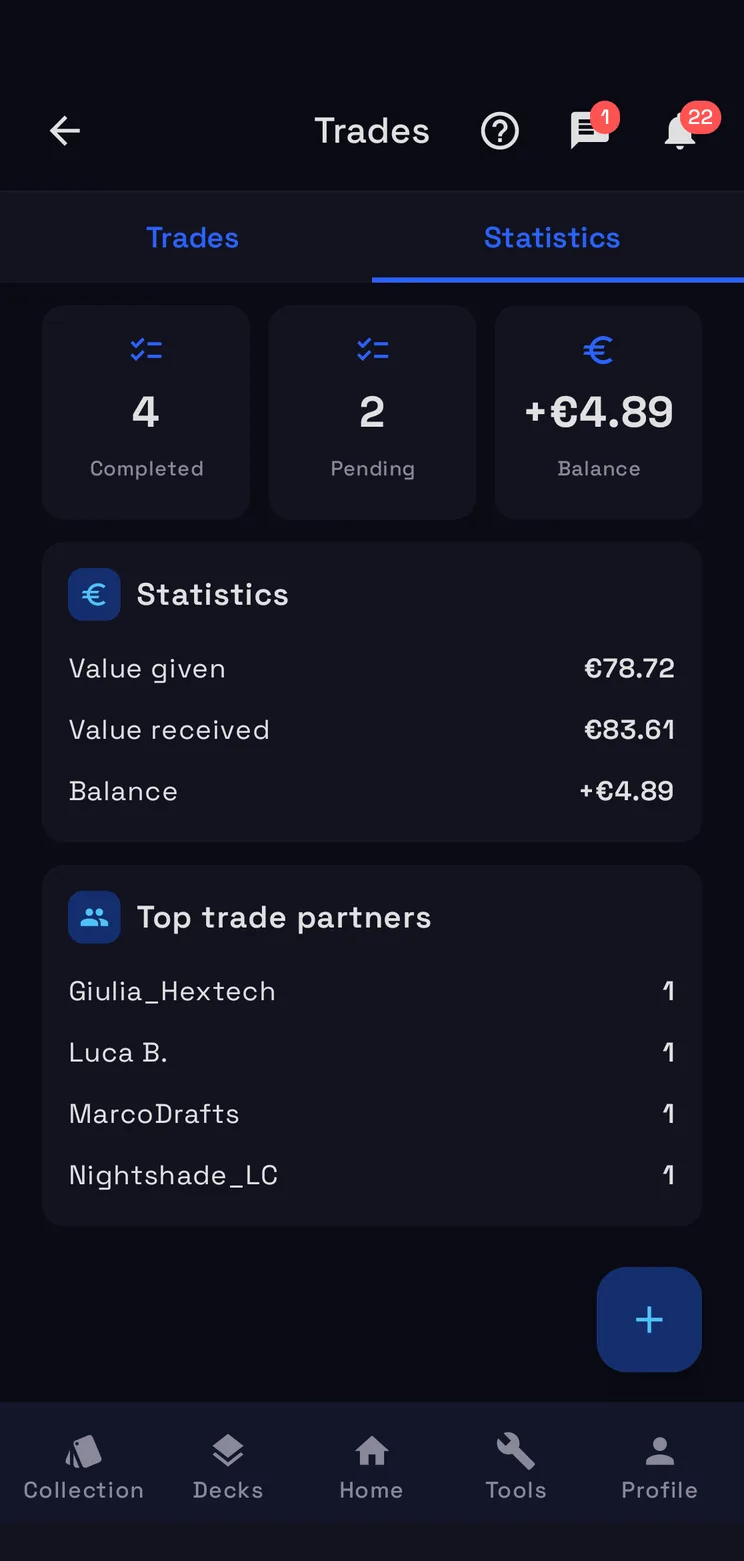
Your balance
In Statistics: the value you gave, the value you received and the balance between them.
How the Trade Log works
A new trade
+ starts one. Pick a friend and it goes to them as a proposal to accept; type a name instead to log a trade you already made. Under Cards given your For Trade cards come up first, under Cards received your Wishlist. Each card gets a value at market prices: tap it to set your own, and the row stays marked manual. When you meet, meet in a public place and check the cards.
Where each trade stands
Trades lists them all, pending ones first, with the date, the place, the values of the two sides and the difference. The badge says where each one stands: Proposed, Accepted, Completed. Mark completed asks whether to apply the trade to your collection, and once it is done you can rate how it went. A trade a friend proposes to you shows up in your list too.
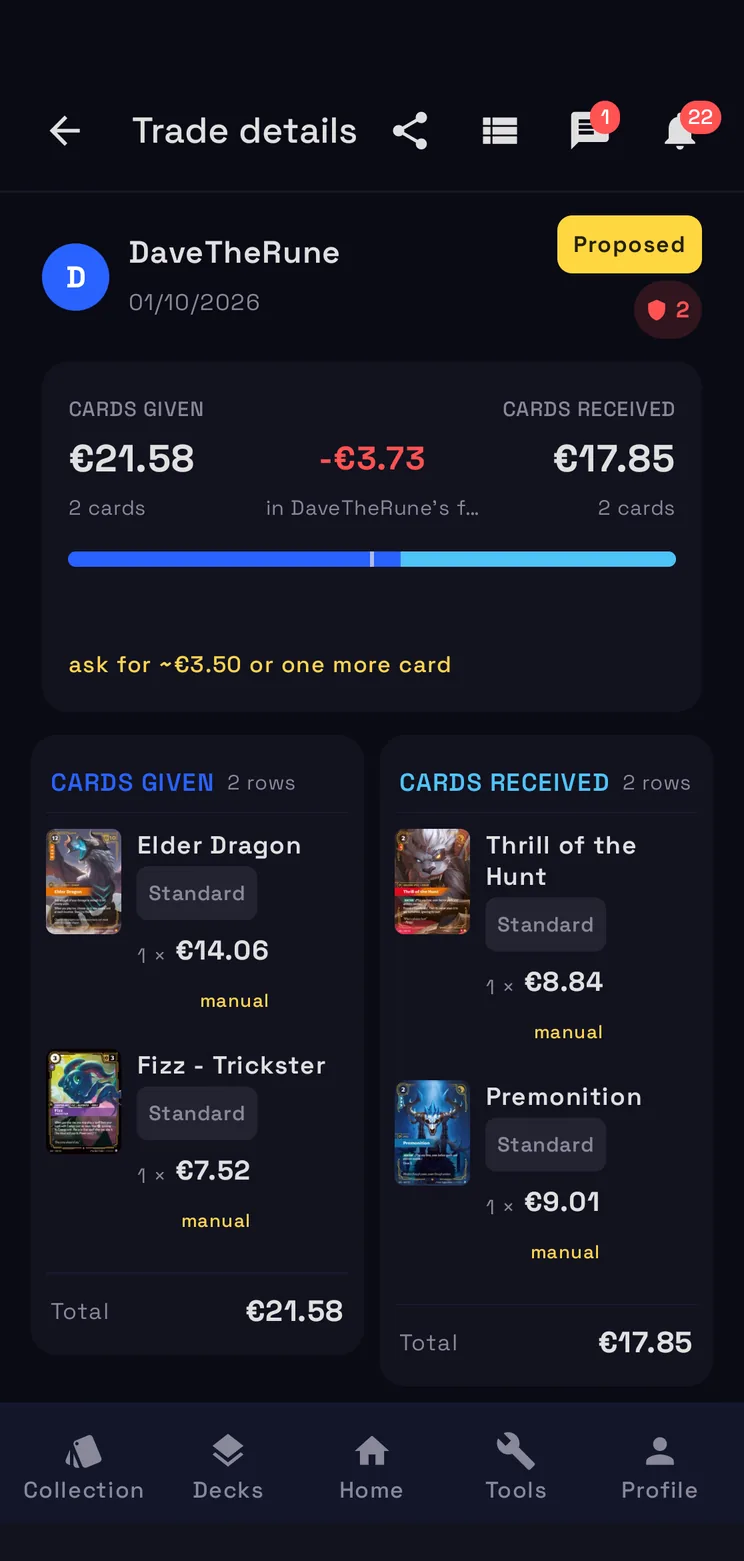
Is it fair?
The detail of a trade weighs the two sides at market prices: what you give, what you get and the difference, green when the trade favours you and red when it favours the other player. Within 5% of the bigger side it is fair; beyond that, RiftSeeker tells you what to ask for, such as “ask for ~€3.50 or one more card”. The share icon sends a link to the trade, which opens only for its two people.
Your balance
Statistics adds them up: how many trades are completed and how many pending, the value you gave, the value you received and the balance between them, and your top trade partners.
Questions
- Is the Trade Log free?
- Yes. It is part of RiftSeeker, which is free on Google Play and in beta on iPhone; Premium is optional and removes the ads.
- How do I know if a trade is fair?
- The detail weighs both sides at market prices: within 5% of the bigger side the trade is fair, and beyond that RiftSeeker tells you how much more to ask for, or to ask for one more card.
- Does the other player need RiftSeeker?
- Only for a proposal: pick a friend and they accept it in the app. To keep track of a trade with anyone else, type their name and the trade stays in your log, with its values.
- Can I set my own values?
- Yes. Tap a value to set it yourself, with the suggested price already offered; the row stays marked manual even after you reopen the trade.