Track Riftbound matches: the Match Tracker, step by step
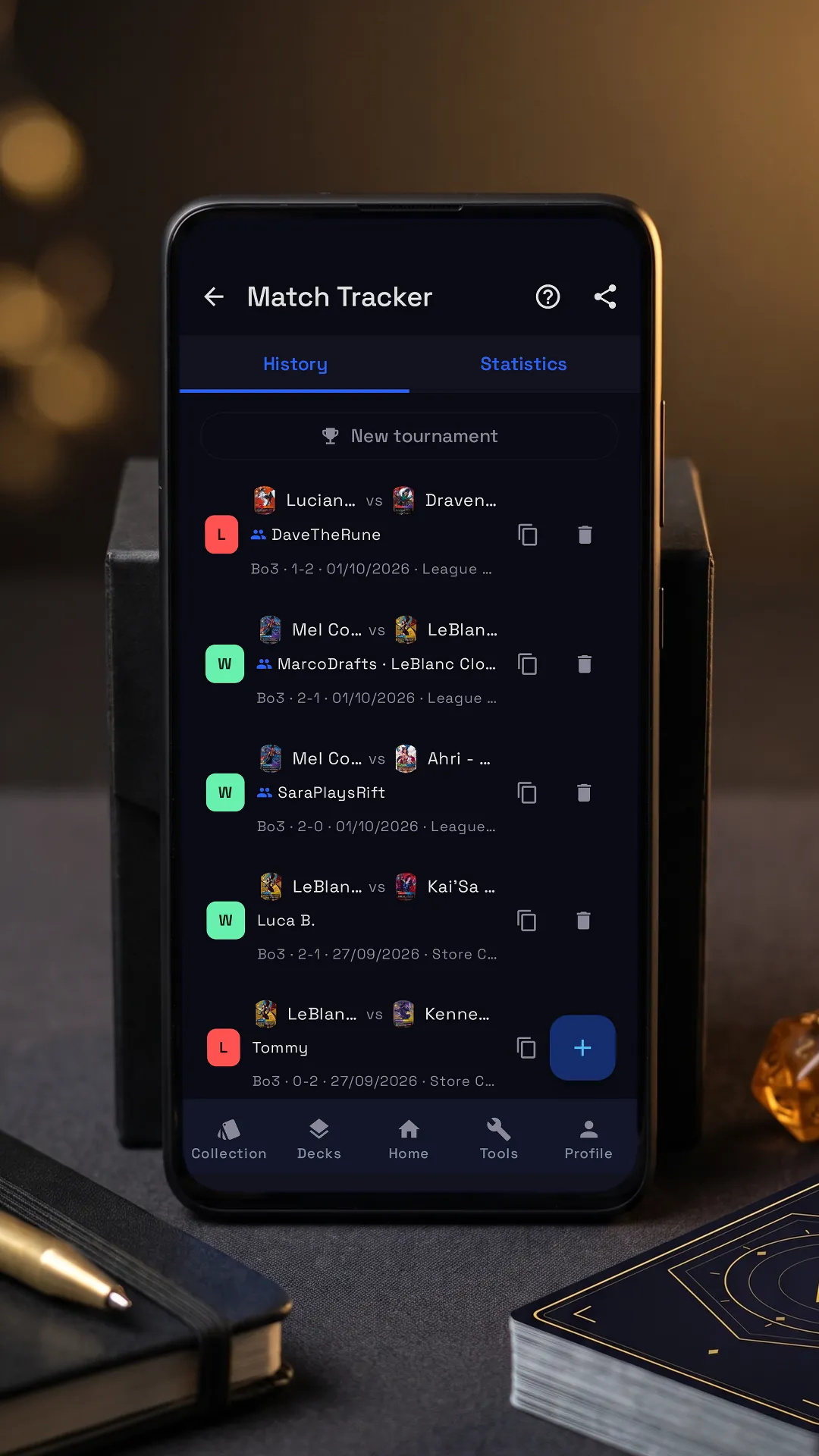

Tap the lit spot on the phone to go on.
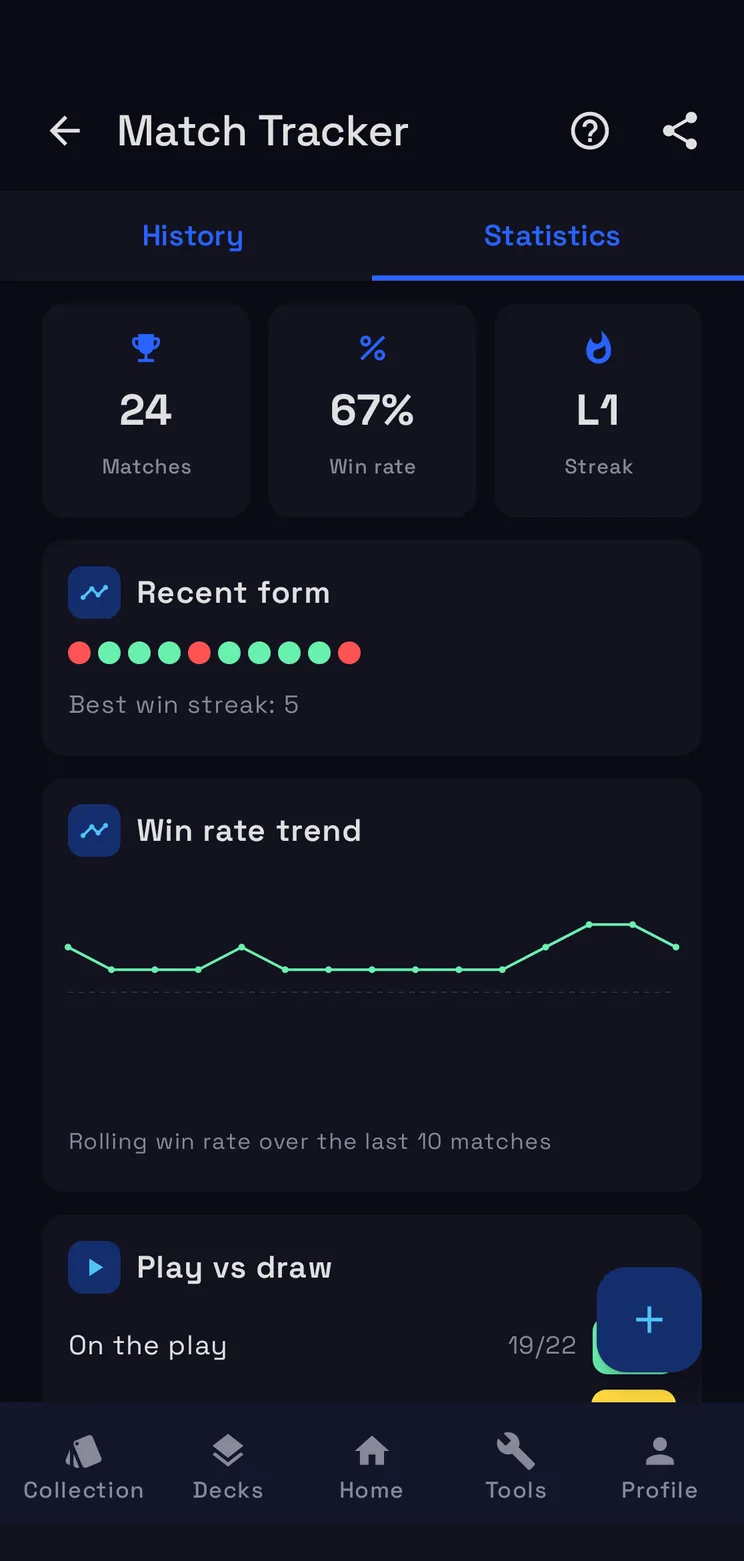
RiftSeeker’s Match Tracker keeps every Riftbound match you log and turns it into numbers: your win rate, your streaks, the matchups of each deck. Beside it is the app’s own tutorial, on its real screens: tap the lit spot on the phone, or use Next.
Step by step
-
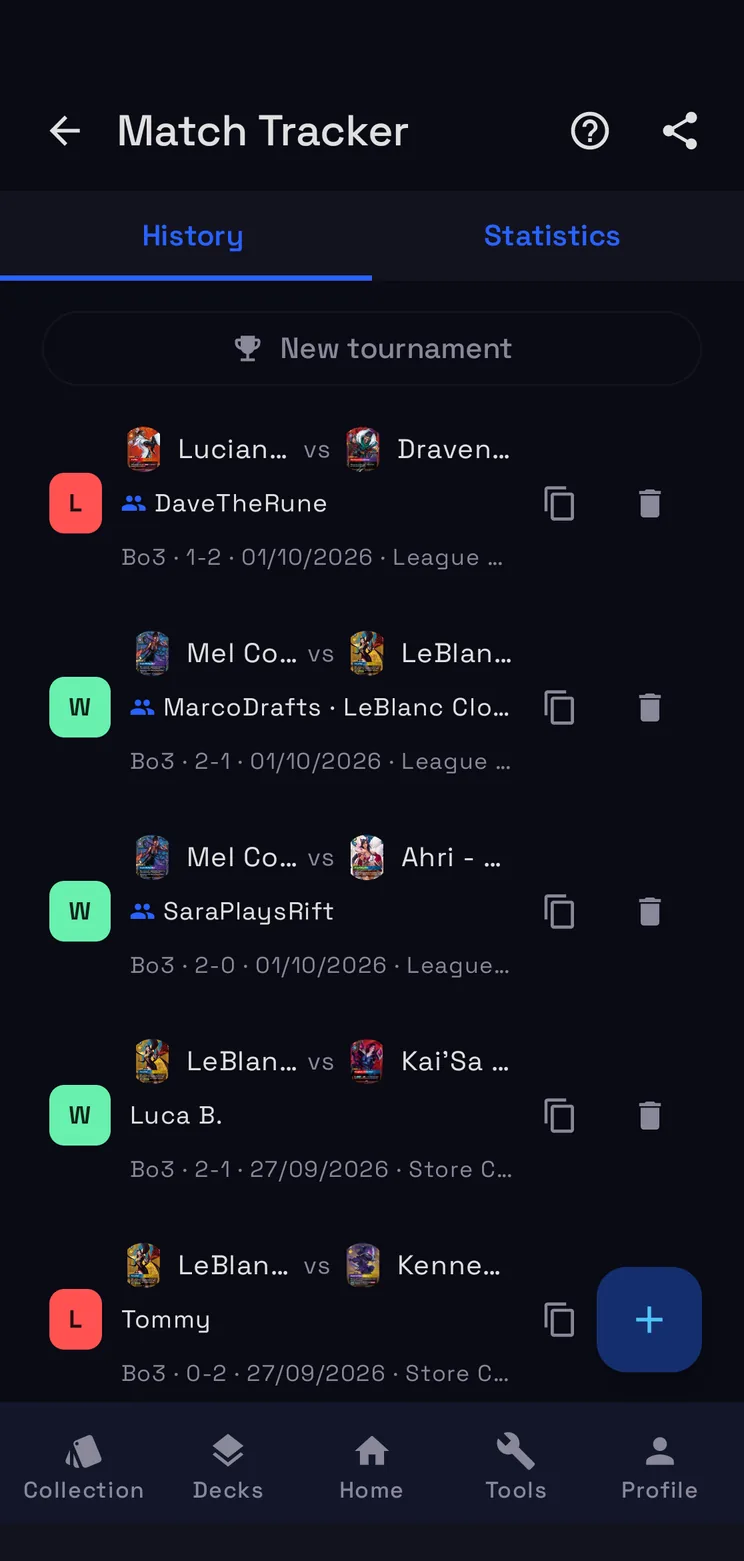
Log a match
Deck, opponent and result: a match takes a few seconds to log.
-
History and statistics
History lists your matches; Statistics gives win rates by deck and opponent.
-
Export
Export the history as CSV, for a spreadsheet or another tracker.
-
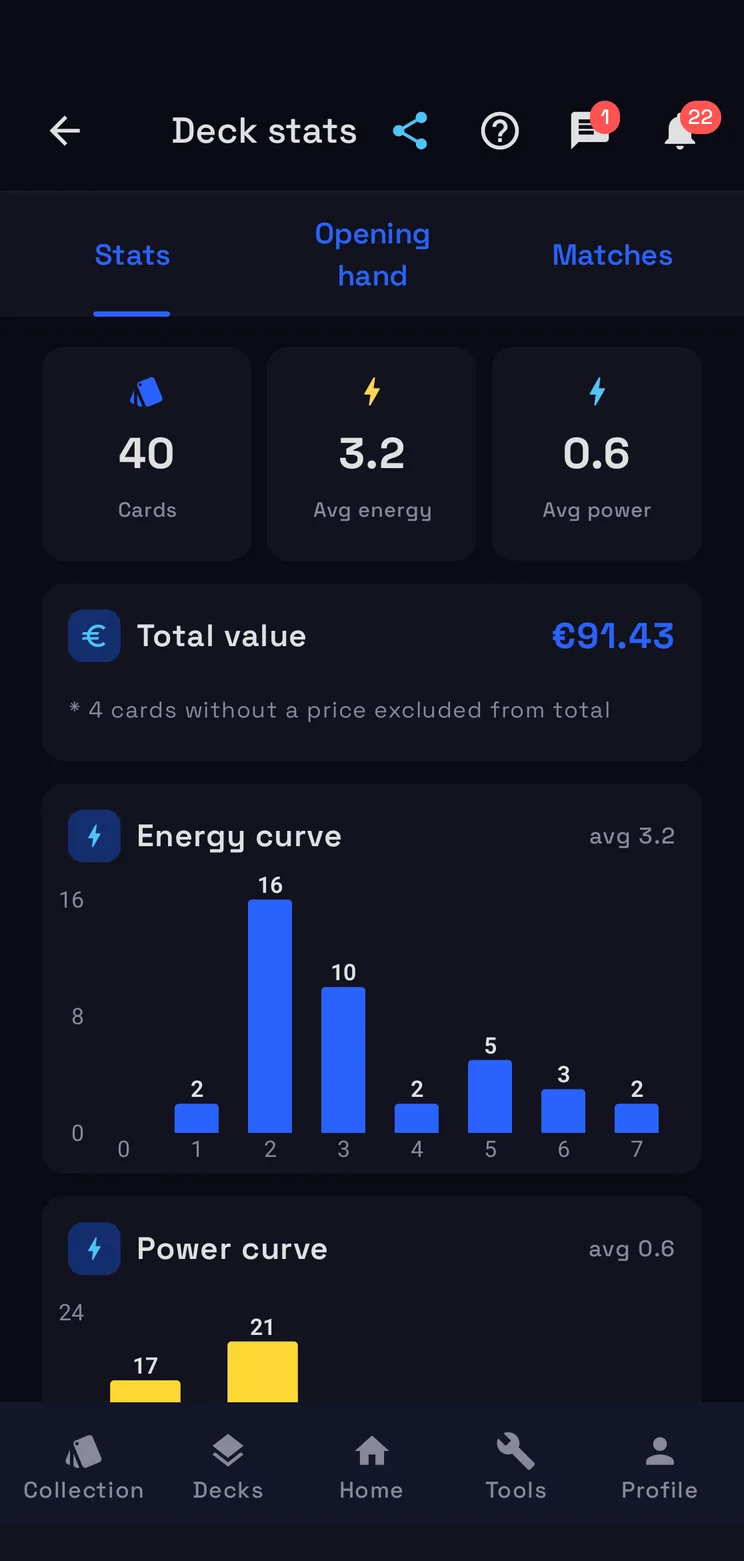
Stats, hand, matches
Curves and domains, a test opening hand with mulligan, and the matches played with this deck.
-
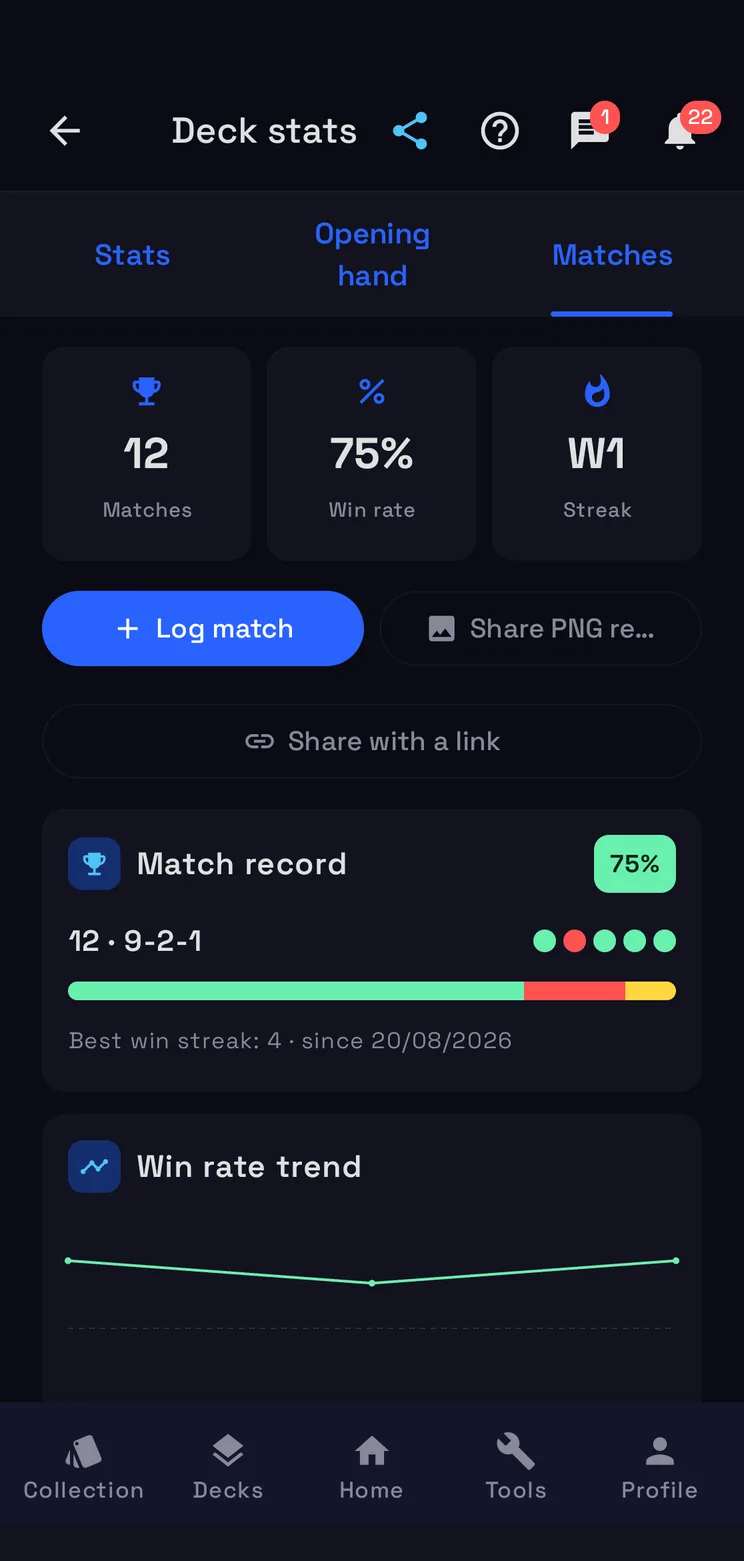
Log match
From Matches you log a game played with this deck: it goes into the Match Tracker.
-
Share the report
Send this deck's report as an image, ready for a chat or a post.
How the Match Tracker works
Log a match
+ opens Log match: your deck, the opponent, a friend or just a name, and their legend, then Bo1 or Bo3 and, for each game, the result, on the play or on the draw, and the mulligan. Event, location and notes are optional. A game played on the Score Board comes already filled in when you log it at the end.
Tournaments
New tournament takes the event name, your deck, the place and Bo3 or Bo1, and the Tournament in progress card stays on top of the history with its rounds and your record. Enter each round once the match is over, between rounds: during the matches the phone stays away.
History and statistics
History lists your matches with the result, both legends, the score and the event; tap one for its detail, game by game. Statistics adds them up: matches, win rate, the current streak and the best one, recent form, the win rate trend over the last 10 matches, play vs draw, Bo3 conversion and your matchups. The share icon at the top exports the history as CSV.
Every deck keeps count
The Matches tab of a deck has its own record with recent form, the win rate trend, who it beats and who beats it, play vs draw and the last five matches. Log match records a game played with this deck straight into the Match Tracker, and the share icon at the top sends the deck’s report as an image.
Questions
- Is the Match Tracker free?
- Yes. It is part of RiftSeeker, which is free on Google Play and in beta on iPhone; Premium is optional and removes the ads.
- Can I track Bo3 matches?
- Yes. Each game of a Bo3 has its result, on the play or on the draw, and the mulligan; Statistics shows the Bo3 conversion: matches won after winning game 1, comebacks after losing it, and the game 3 win rate.
- Can I export my matches?
- Yes. The share icon at the top of the Match Tracker exports the history as a CSV file, for a spreadsheet or another tracker.
- Do Score Board games count?
- Yes. At the end of a game on the Score Board, Log match opens with the decks and the legends already filled in, and the match counts in the win rate of each deck and each matchup.