Keep score in Riftbound: the Score Board, step by step
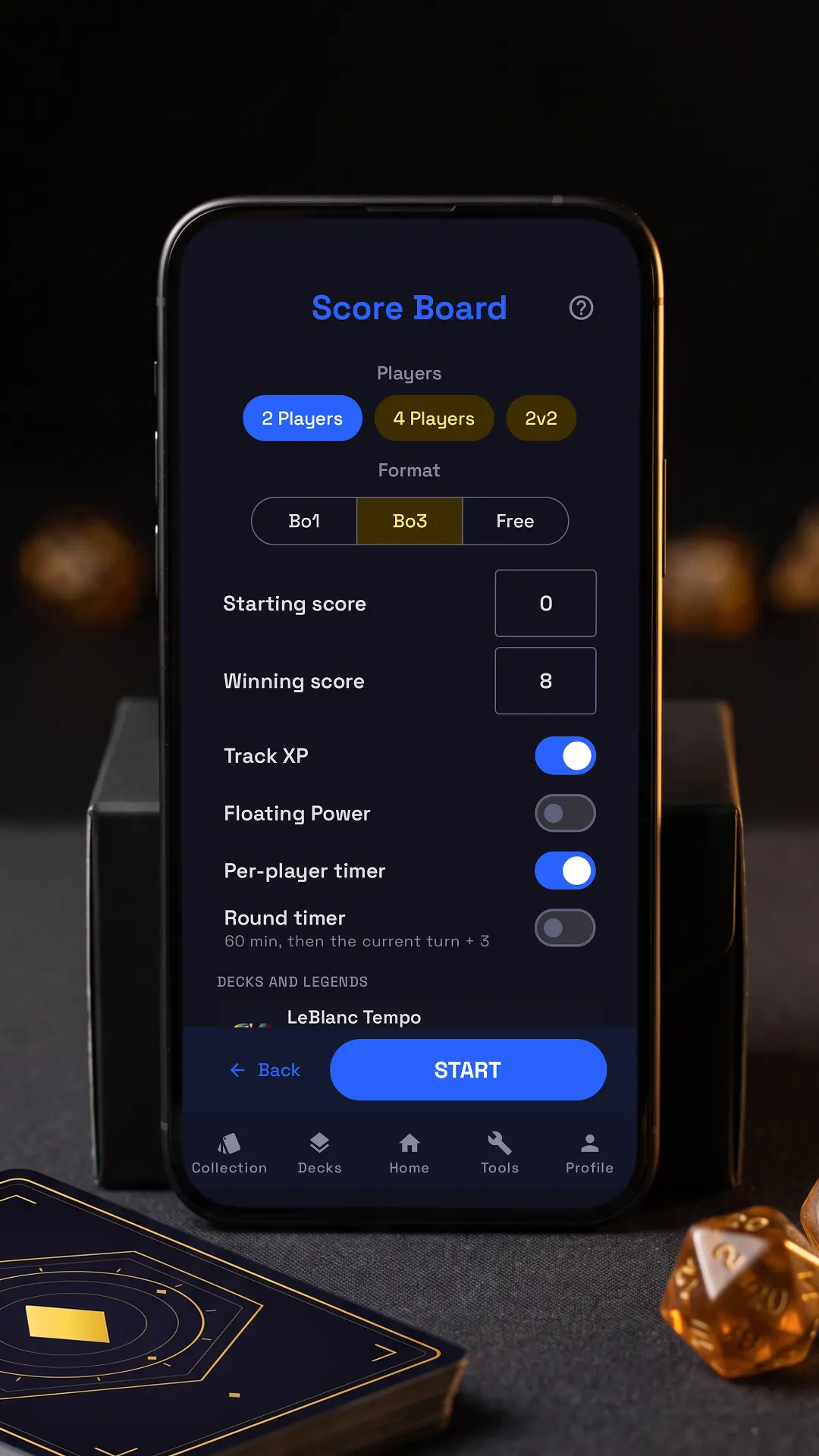

Tap the lit spot on the phone to go on.
RiftSeeker’s Score Board keeps the points of a Riftbound match at the table, then logs it in the Match Tracker. Beside it is the app’s own tutorial, on its real screens: tap the lit spot on the phone, or use Next.
Step by step
-
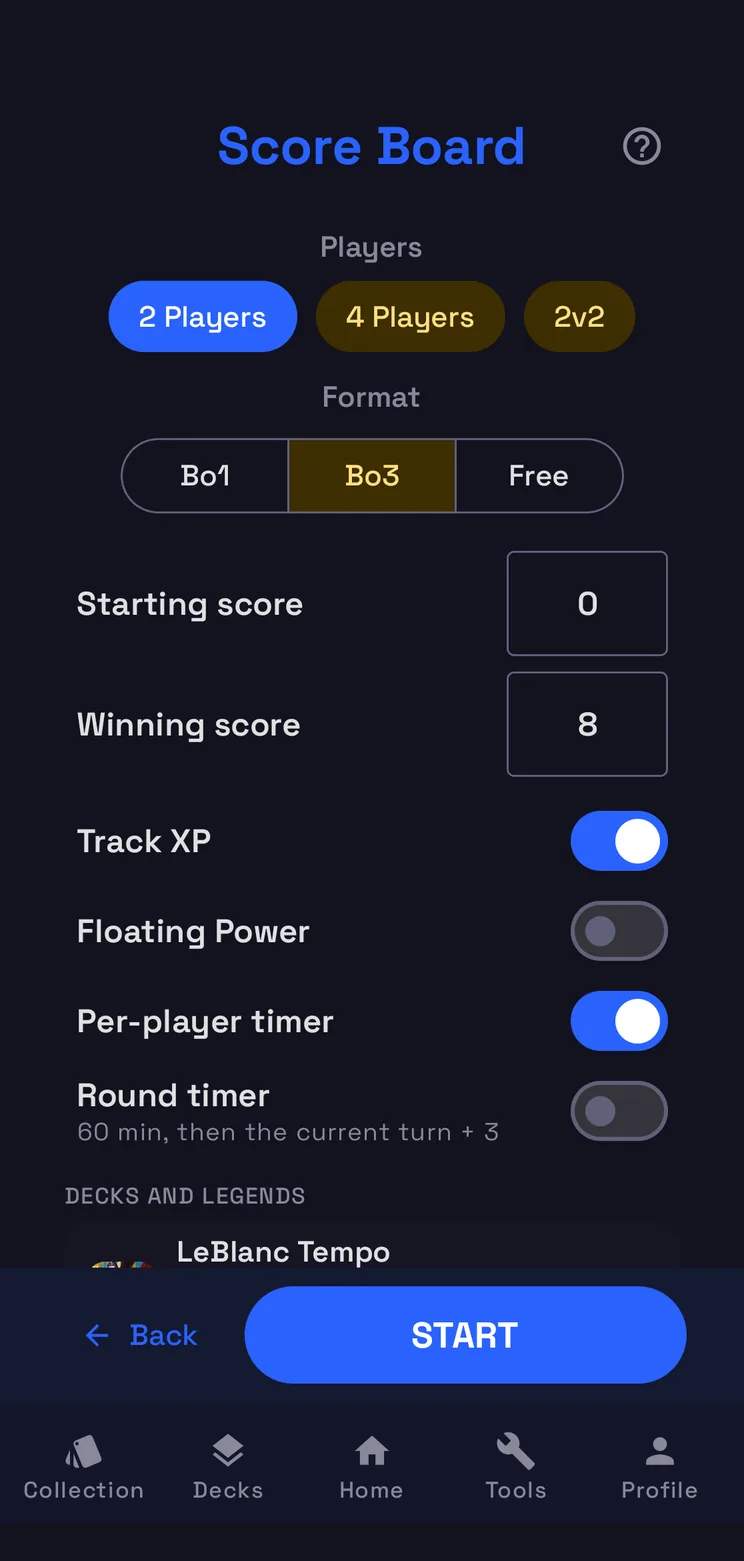
Players
Two players, four, or 2v2 in teams: the board lays itself out to match.
-
Format and points
Bo1, Bo3 or free play; below it, the starting score and the score that wins.
-
Decks and opponents
Pick your deck and the legend or friend across the table: they go into the Match Tracker.
-
Who starts
Press START: pick who goes first or roll the dice, then the match begins.
-
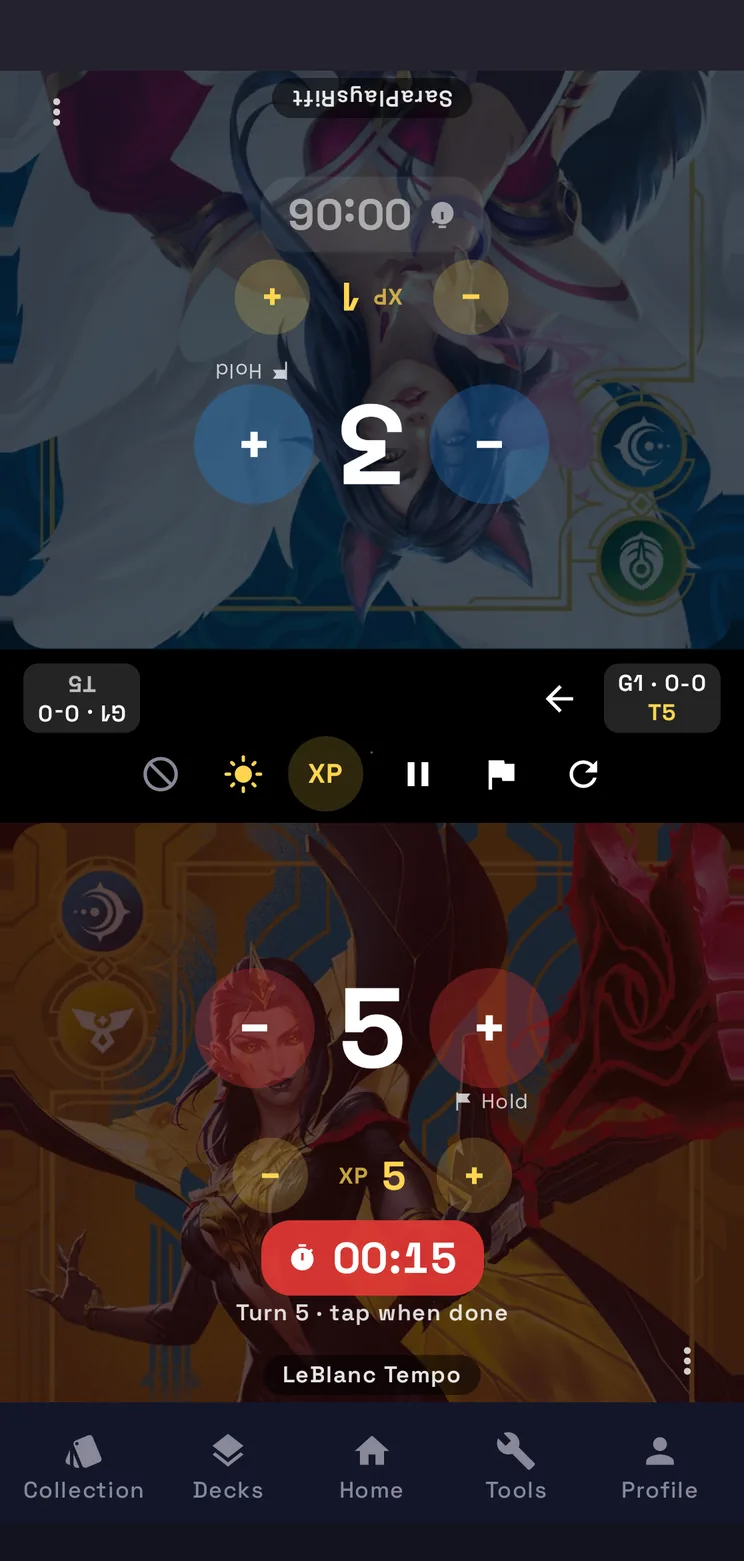
Your score
+ opens the ways to score a point, − takes the last one back; your opponent has the same.
-
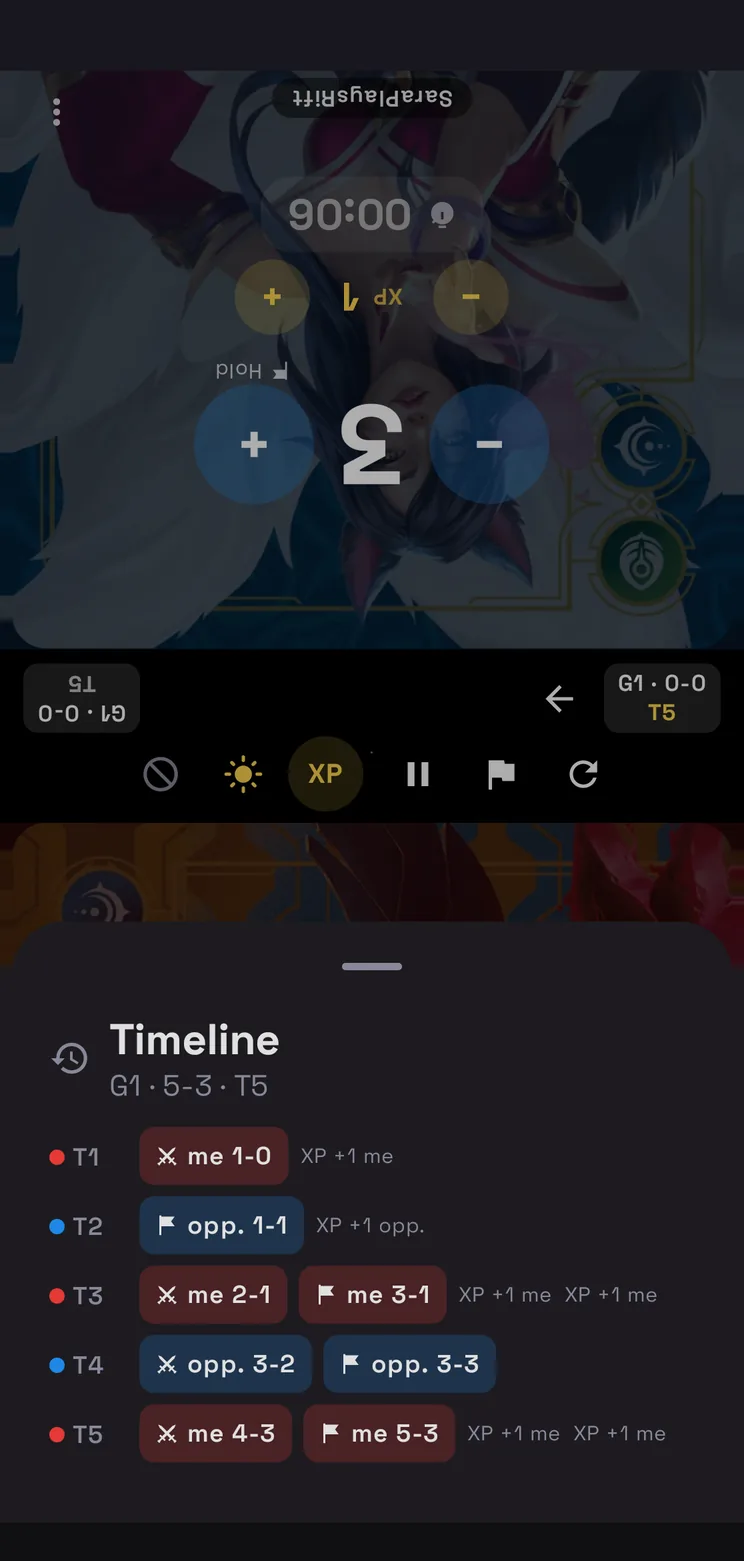
The timeline
Tap here to see every point and every turn of the game.
-
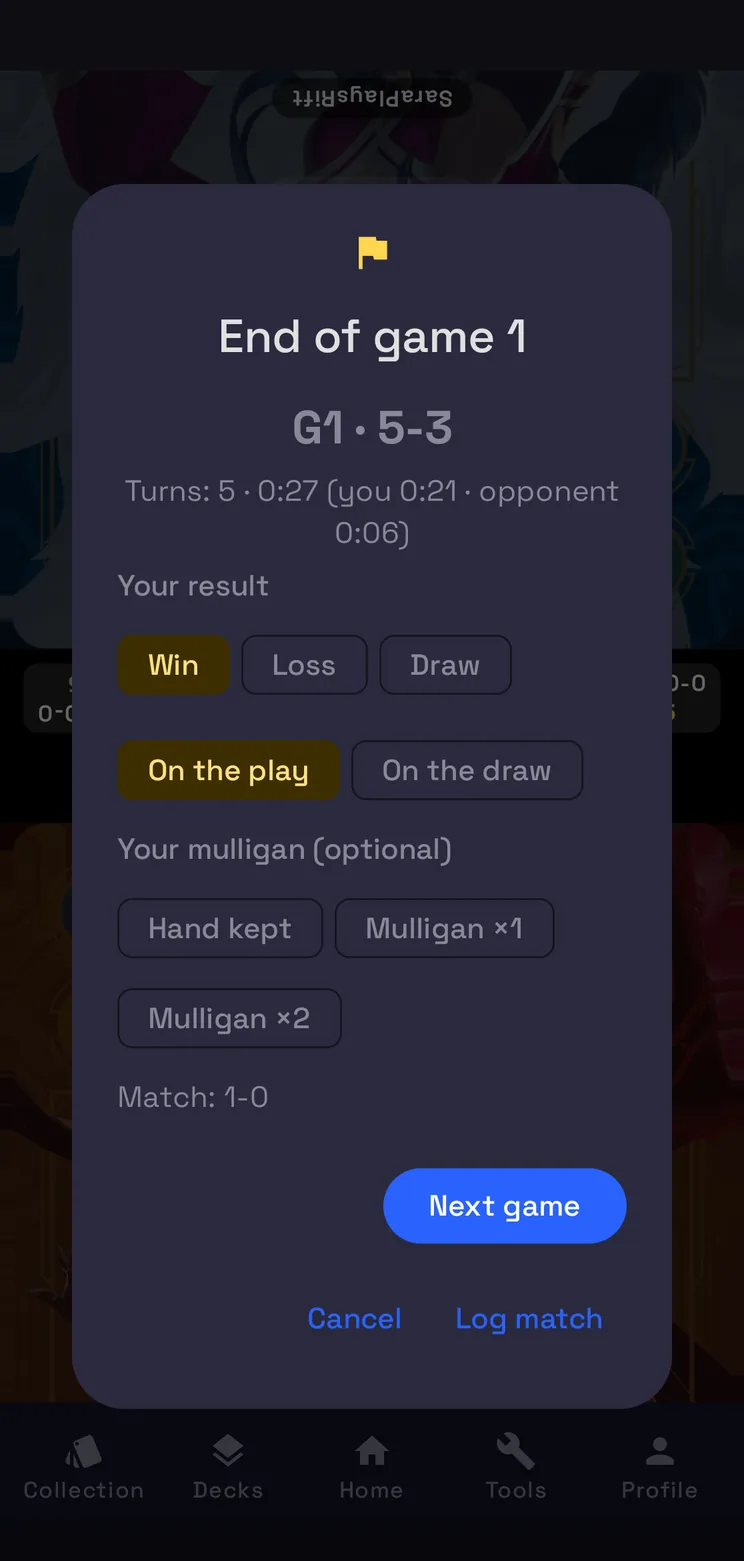
End of the game
From here you close the game; when the match is over the app offers the Match Tracker.
How the Score Board works
Players and format
Choose 2 Players, 4 Players or 2v2: in 2v2 two teams of two play with one score per team and one clock per side. Then the format, Bo1, Bo3 or Free, and two numbers: the starting score and the score that wins the game. Track XP adds an XP counter for every player, Floating Power a Power counter.
Decks and opponents
Under Decks and legends each player gets one of your decks, a legend or a friend. A deck also sets its legend, whose art fills that player’s side of the board, and all of it goes into the Match Tracker when you log the match.
Who starts, and the clock
START asks who goes first: you, your opponent, or a roll of the dice. From the second game on, whoever lost the last one chooses. With the per-player timer on, each side has its own clock: tap at the end of your turn and it passes to your opponent. The round timer adds a limit of 60 minutes, then the current turn plus three.
Points and the timeline
+ opens the ways to score a point, Conquer, Hold or a card, and − takes the last one back; your opponent has the same on their side of the phone. When a player reaches the winning score, the app asks whether the game is over. The chip with the game and the turn opens the timeline: every point and every turn of the game, in order.
End of the game
The flag closes the game. You mark the result, whether you were on the play or on the draw and, if you like, your mulligan; the same screen shows how many turns the game lasted and each player’s time. Then Next game, or Log match: the match goes into the Match Tracker with its decks and legends, and counts in the win rate of each deck and each matchup.
Questions
- Is the Score Board free?
- Yes. It is part of RiftSeeker, which is free on Google Play and in beta on iPhone; Premium is optional and removes the ads.
- Can four people play?
- Yes. 4 Players keeps four scores, and 2v2 plays two teams of two, with one score per team and one clock per side.
- Do I have to use the timers?
- No. The per-player timer and the round timer are switches in the setup: with both off, the board keeps only the points.
- Where do my matches go?
- Into the Match Tracker, when you log the match at the end: the result, the decks and the legends, with the win rate per deck and per matchup.